AV System Redesign
Background
As part of a hardware upgrade for Sutherland Labs' local observation camera system, I had the opportunity to completely overhaul the outdated operating system.
Our research facilities are equipped with observation cameras linking various rooms in the building. In addition to configuring cameras and layouts, this operating system manages online streaming and recording for sessions held in our studios.
Process
This project involved a comprehensive revamp of the previous system, which had outdated screens and a cluttered interface. Through interviews with our reception staff who operate the system daily, I identified the most frequently used functions that needed to be easily accessible.
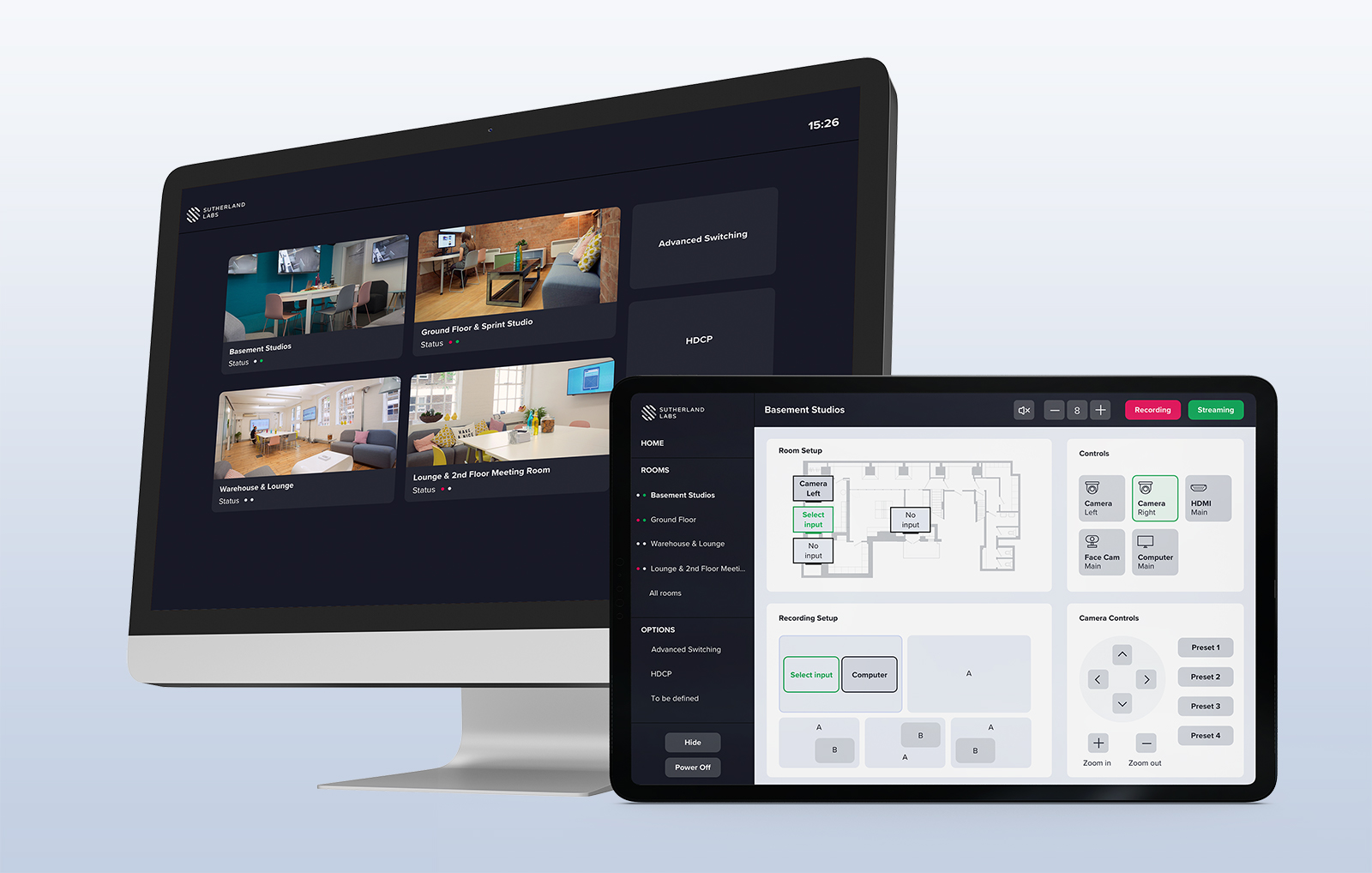
The redesign centred on consolidating these functions into a single screen, enhancing control over cameras and rooms while reducing the potential for errors. A sidebar provides convenient access to all other rooms, with left-side indicators showing whether a room is currently recording and streaming.
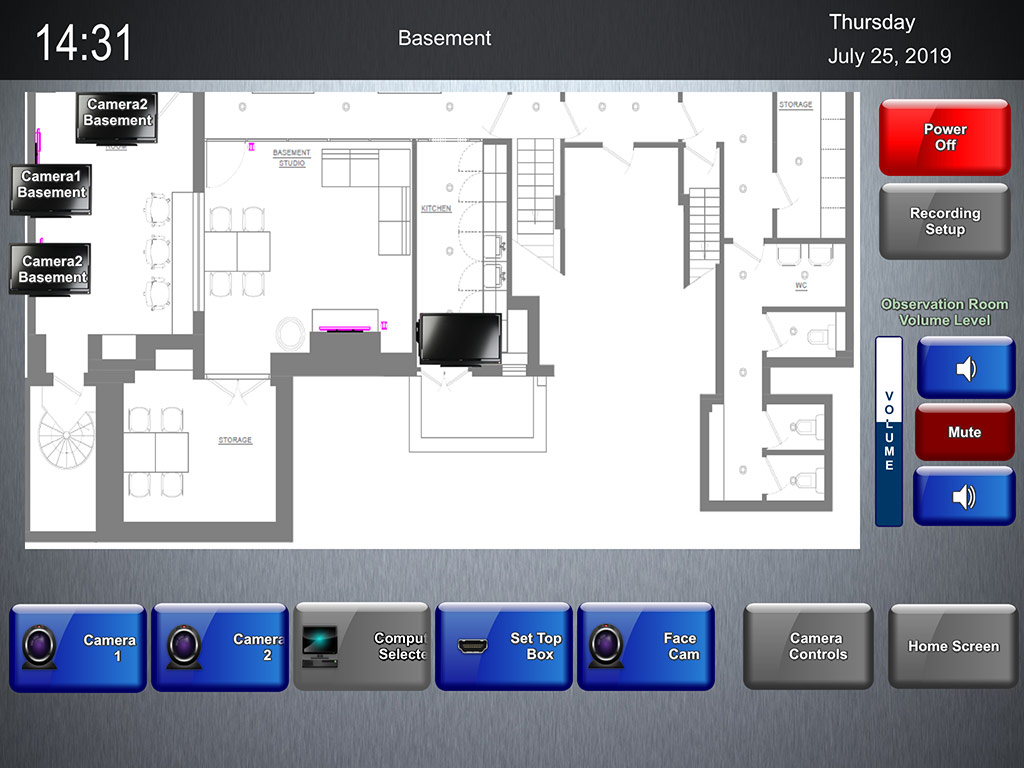
A floorplan showing the location of screens and cameras in a room
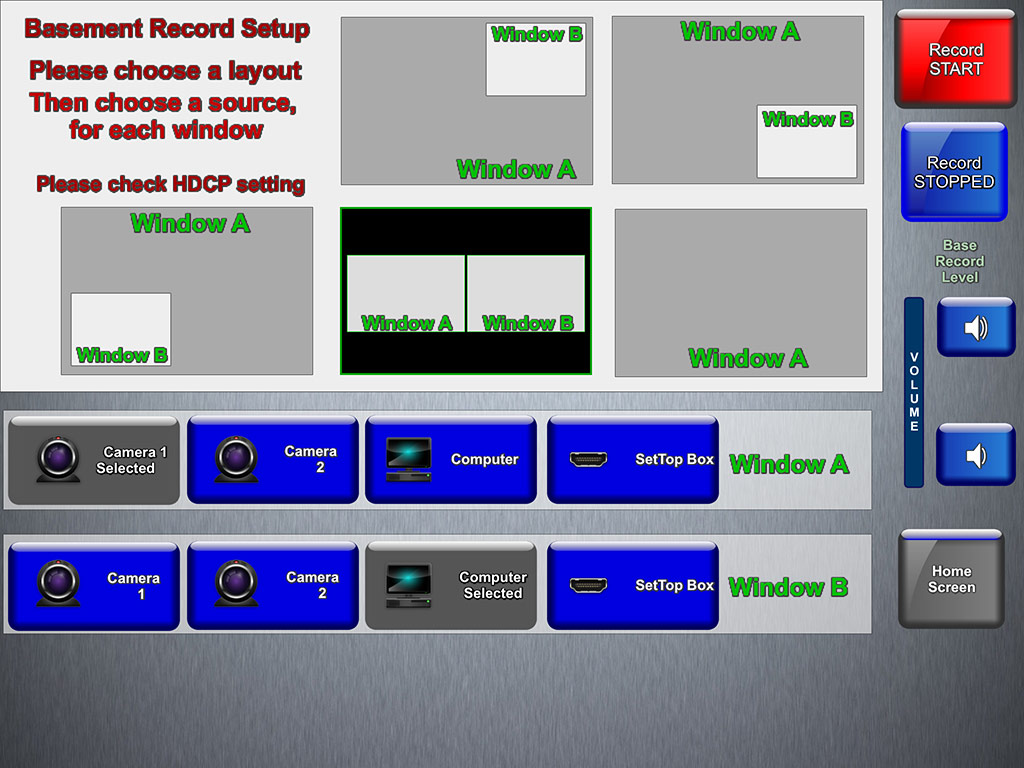
Different presets to display the camera output on the screens in the observation rooms
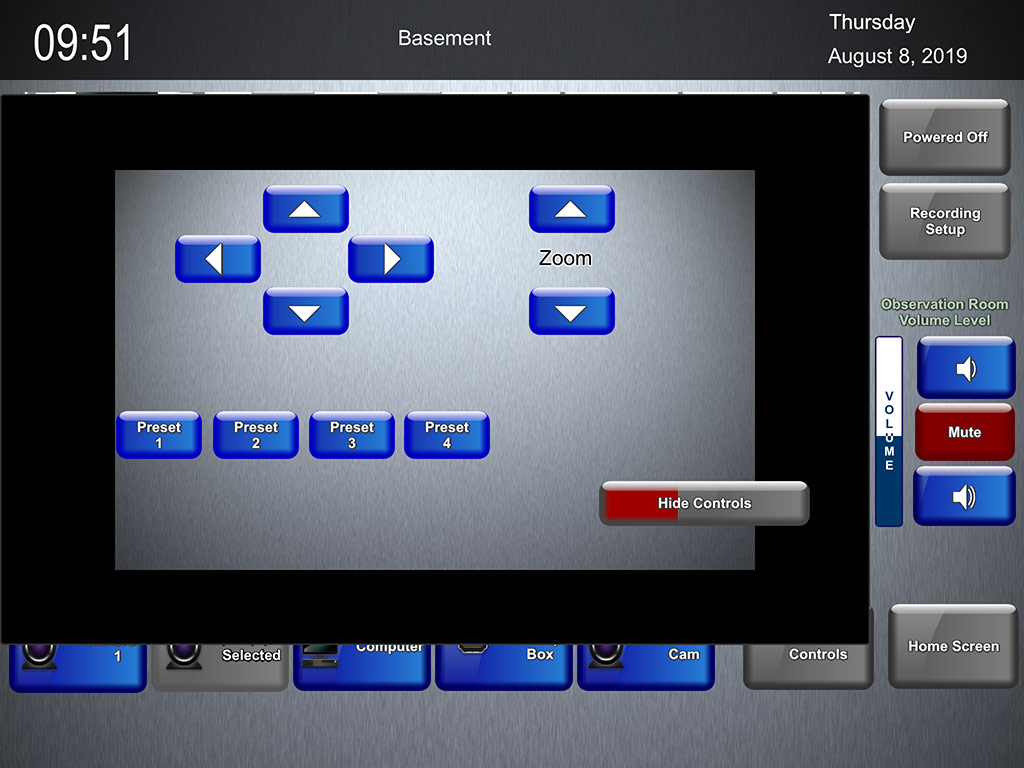
The interface to adjust camera angles
Before
- Functions spread across multiple screens
- Numerous coloured buttons creating visual noise
- High potential for operator error
- Steep learning curve for new staff
After
- All key controls consolidated into one screen
- Solid dark background with only two highlight colours
- Room recording and streaming status always visible
- New team members can navigate intuitively
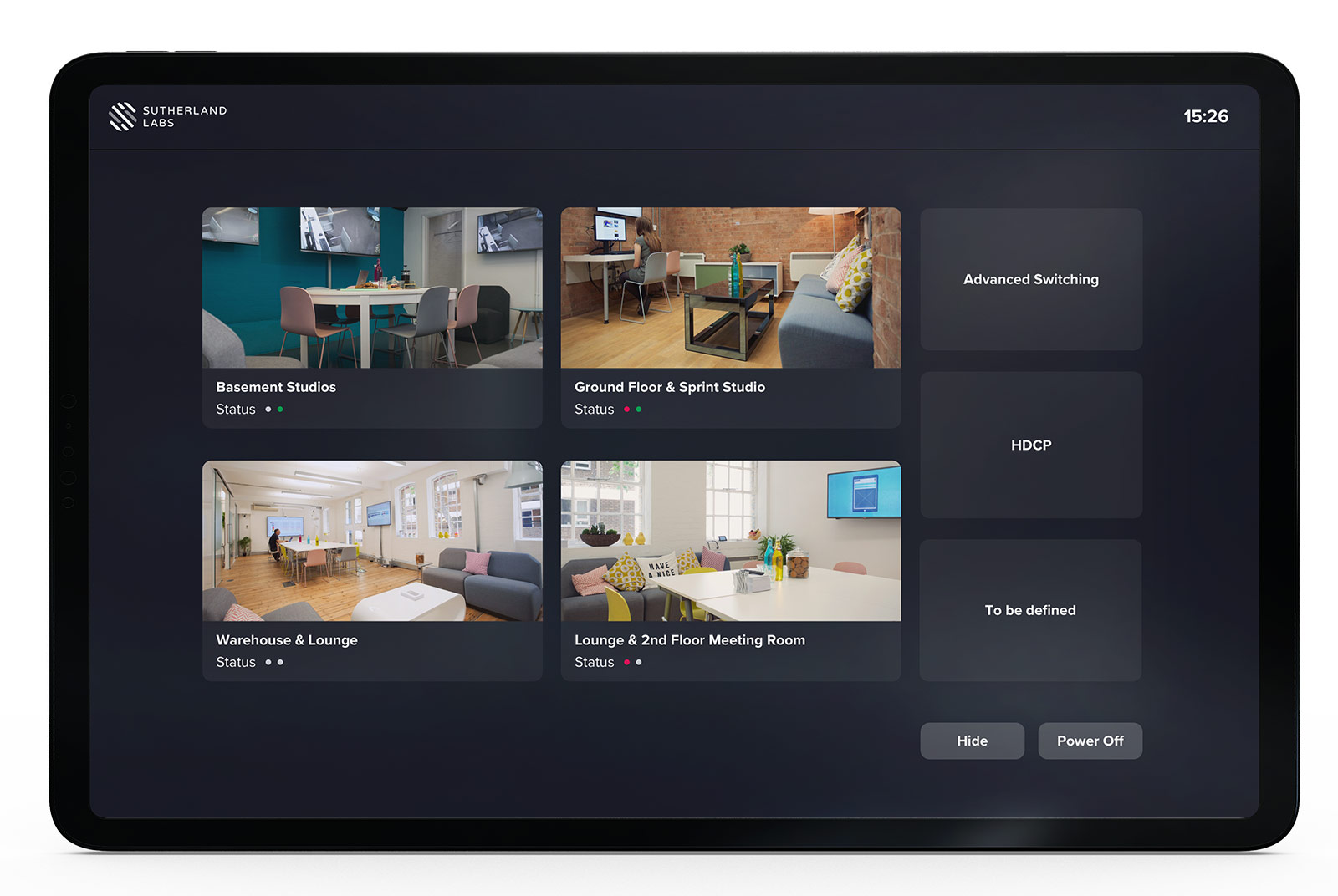
Home screen showing all available testing rooms
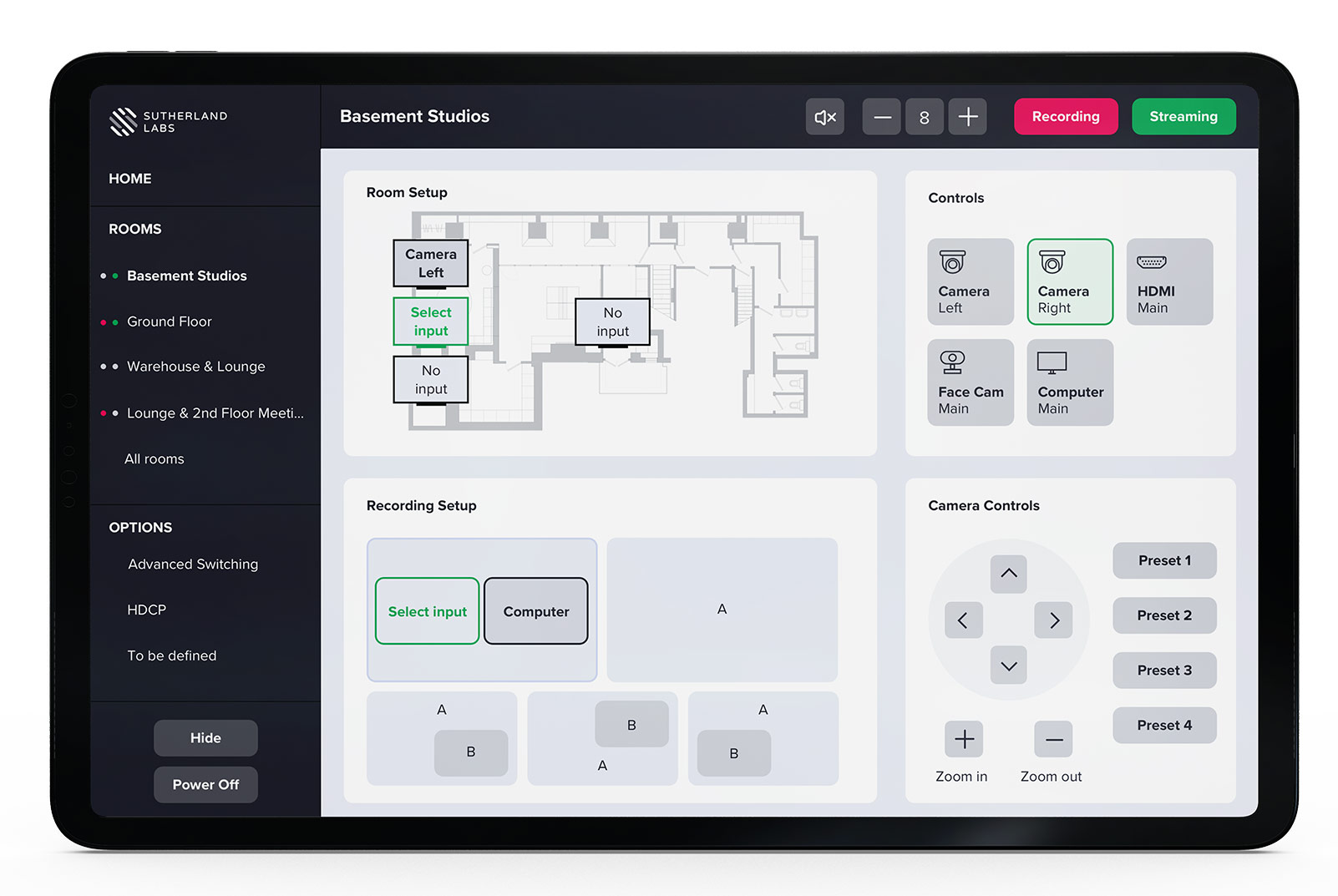
Redesigned room layout with floorplan, cameras, controls, and screen setup
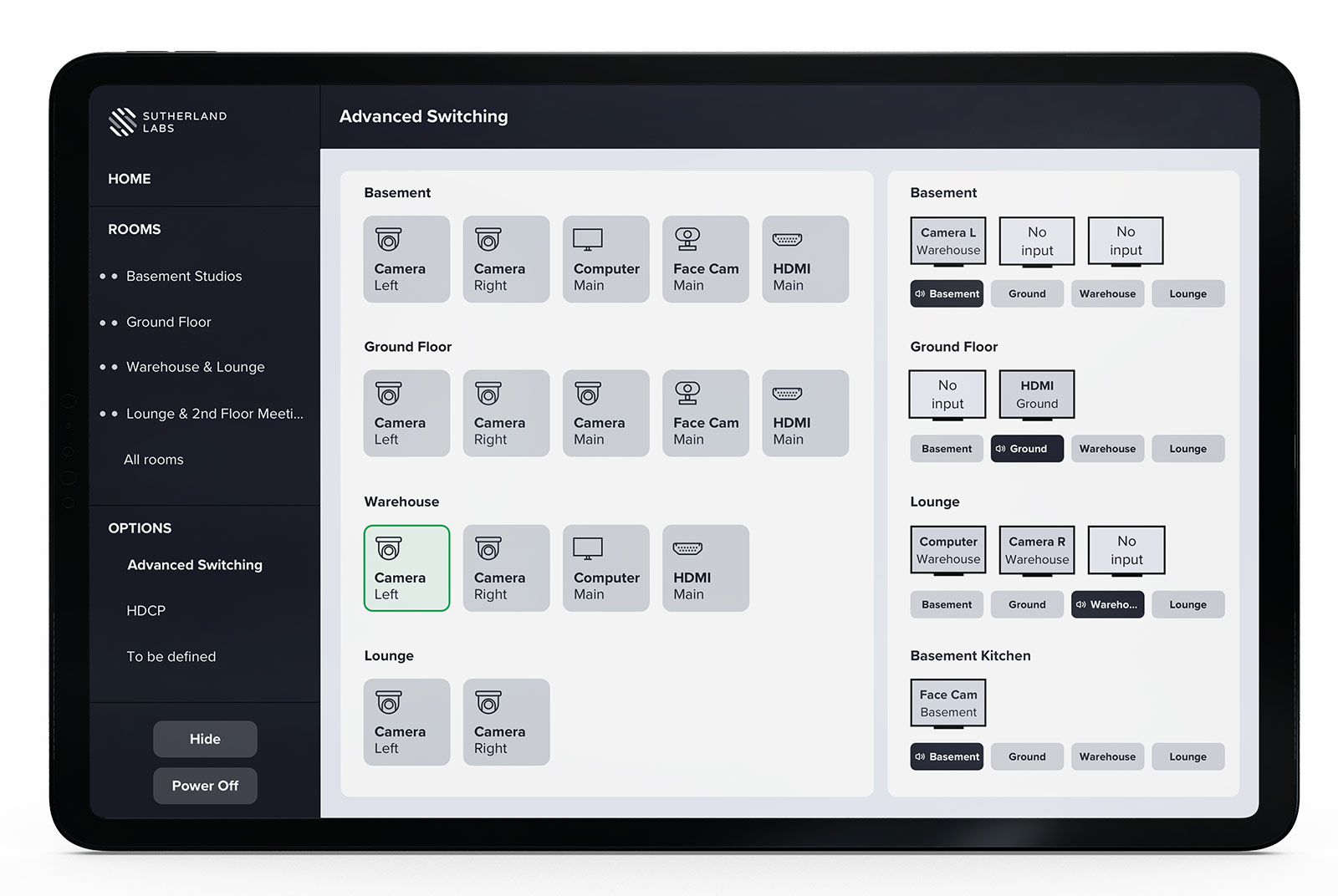
Advanced switching — allows connecting cameras from one room to another
Conclusion
The project aimed to enhance the system's efficiency while providing it with a modern facelift. We achieved this by simplifying the colour scheme — featuring a solid dark background with subtle lighter tones in the foreground.
In contrast to the numerous coloured buttons in the old design, we now use just two colours to highlight specific screen elements. This overall approach ensures the system is less intrusive and doesn't distract when idle.
During this project, I had to operate within the constraints of the existing system's programming. While some interactions remained to be rethought, the feedback from our staff has been highly positive — even newer team members can now intuitively navigate and use the system effectively.